
Disclaimer: The industry type and specific business domain of the target organisation have been purposefully obscured in this write-up to maintain client privacy and honour contractual obligations. Certain operational details have been generalised. The information shared here is strictly for educational purposes - to help security professionals, organisations and students understand how nation-state style attacks are planned and executed and more importantly, how to defend against them.
Note: "Nation-state style" describes the engagement's persistence, resourcing, patient reconnaissance and multi-stage approach. It does not imply attribution to a particular threat actor or claim to reproduce the full operational capabilities of a state-sponsored intelligence service.
Authorisation: All activities described in this article were conducted with the organisation's prior written authorisation and within an agreed rules-of-engagement document. Targets, techniques, evidence handling, safety limits and escalation procedures were approved before testing began. No techniques described here should be used without equivalent authorisation.
This is Part 2 of the multi-part series. If you have not read Part 1, we recommend starting there for context on the engagement background, OSINT and initial vishing operations. Read Part 1 here.
Phishing and Social Engineering Campaign
Engagement Context
By this stage of the engagement, we had already established a foothold through the vishing operations detailed in Part 1. Organisation Alpha's environment was well-defended: they used Microsoft 365 (M365) with Exchange Online Protection (EOP), the cloud-based filtering service that protects against spam, malware and standard phishing attempts.
We knew that a traditional mass-phishing approach would fail. EOP, combined with Alpha's security-aware culture (forged through five previous red team engagements), meant that most lazy or template-driven phishing attempts would be flagged, quarantined, or reported.
Success required pragmatic planning and surgical execution.
Campaign Infrastructure and Preparation

Target Email Address Enumeration
Before launching any phishing emails, we needed a precise target list. This was assembled through two methods:
Passive Reconnaissance: As detailed in Part 1, we had already enumerated a significant number of staff email addresses through OSINT: LinkedIn scraping, email format validation and public directory analysis.
Internal Application Access: After compromising our first staff account (through the vishing operations in Part 1), we gained access to Organisation Alpha's internal business applications via Microsoft 365 Single Sign-On (SSO). One of these applications included an internal phonebook, a staff directory with full contact details, department listings and direct phone numbers.
While we could have queried the Microsoft 365 Global Address List (GAL) for staff details, the internal phonebook was significantly faster and provided richer data, including office locations, reporting lines and role descriptions.
Using a wildcard query on the phonebook, we were able to enumerate over 1,900 staff contact records paginated across nearly 200 pages. We systematically extracted the entire directory: names, email addresses, office locations, job titles and department affiliations. This gave us a comprehensive, verified target list far beyond what OSINT alone could provide and allowed us to cross-validate the data gathered during the earlier reconnaissance phase.
Server Setup: Cloning Organisation Alpha's Login Portal
The phishing infrastructure required setting up a credential harvesting website that closely matched Organisation Alpha's legitimate login experience.
During the reconnaissance phase, we identified that several of Alpha's externally exposed business applications were integrated with Microsoft 365 Single Sign-On. This meant employees were accustomed to seeing the same SSO login page across multiple internal applications.
We cloned the primary SSO hub login page, the portal employees used daily to access internal tools. The cloned page was hosted on multiple web servers with various domain names, each selected based on the context and pretext of the specific phishing scenario.
Additionally, we set up a secondary collection page designed to passively harvest technical details from anyone who visited: device type, operating system, browser version and IP address. This intelligence was used to refine our targeting and understand the technical environment of individual targets.
Email Template Crafting
One of the most critical preparation steps was creating phishing emails that would closely match legitimate internal communications.
Having already compromised a staff member's account, we had access to:
- Multiple email signature styles used across different departments
- Internal email formatting conventions (fonts, colours, footer disclaimers)
- The tone and language typical of internal IT and administrative communications
We used these signatures and conventions to craft multiple email templates, each with a different context and pretext tailored to specific target groups. Every template was designed to feel routine and expected, never urgent or alarming in a way that might trigger suspicion in security-trained staff.
Orchestrating the Campaign: Precision Over Volume
We deliberately avoided the traditional phishing approach of mass-emailing the entire target list. Organisation Alpha's staff had been through security awareness training and a sudden influx of similar emails would almost certainly trigger reports to the IT security team.
Instead, we adopted a phased, surgical approach:
Canary Targets (Phase 1): We handpicked a small group of initial targets from our contact list. These were carefully selected based on their role, department and assessed likelihood of engagement. The primary goal was not credential capture; it was intelligence gathering:
- Did the emails reach their inbox or land in junk?
- Were any emails flagged or reported?
- What was the target's response behaviour?
We obtained this feedback by social engineering the targets directly: calling them under pretext and casually confirming whether they had received "the IT migration email" we had sent.
Refined Targeting (Phase 2): Based on the Phase 1 feedback, we adjusted our email templates, sender domains and delivery timing. We identified which approaches were delivered reliably and which were quarantined.
Combined Arms (Phase 3): Through testing, we confirmed that many standard phishing techniques would either get blocked or land in junk folders. Given the time-bounded nature of the exercise, we maximised success by using a combination of social engineering (phone) and phishing (email) on multiple targets simultaneously. In some cases, social engineering alone was sufficient to obtain credentials or sensitive information without any phishing email at all.
Attack Narratives: Account Compromises
The following sections detail specific attack scenarios where we achieved full or partial success. All names and identifying details have been anonymised.
Case 1: "Elena Novak" (Full Account Compromise via SE + Phishing)
Date: Week 4 of engagement

The first staff account compromised through the phishing campaign belonged to a mid-level employee in the operations department. We compromised her domain credentials using a combination of social engineering and phishing.
The Approach:
We called Elena posing as IT support, using the name of a real helpdesk team member (identified during earlier reconnaissance). The pretext: her account had not been correctly migrated during the recent system migration, which could cause login failures in the coming days.
We managed to convince her that immediate action was required and she agreed to follow our instructions. She gave us an appointment time for a follow-up call.
Email Delivery Challenge:
We sent her a phishing email containing our credential harvesting link. The email landed in her junk folder, exactly the scenario we had anticipated with EOP filtering. However, because we were already on a call with her, we told her it was a known Microsoft 365 error and convinced her to:
- Move the email from junk back to her inbox
- Mark the sender as safe (whitelisting our phishing domain)
Establishing a Remote Session:
Rather than simply asking her to click a link (which would feel suspicious), we took a more sophisticated approach. We convinced her to join a video chat session so that we could "remotely configure her system", mimicking the standard IT support workflow she was accustomed to.
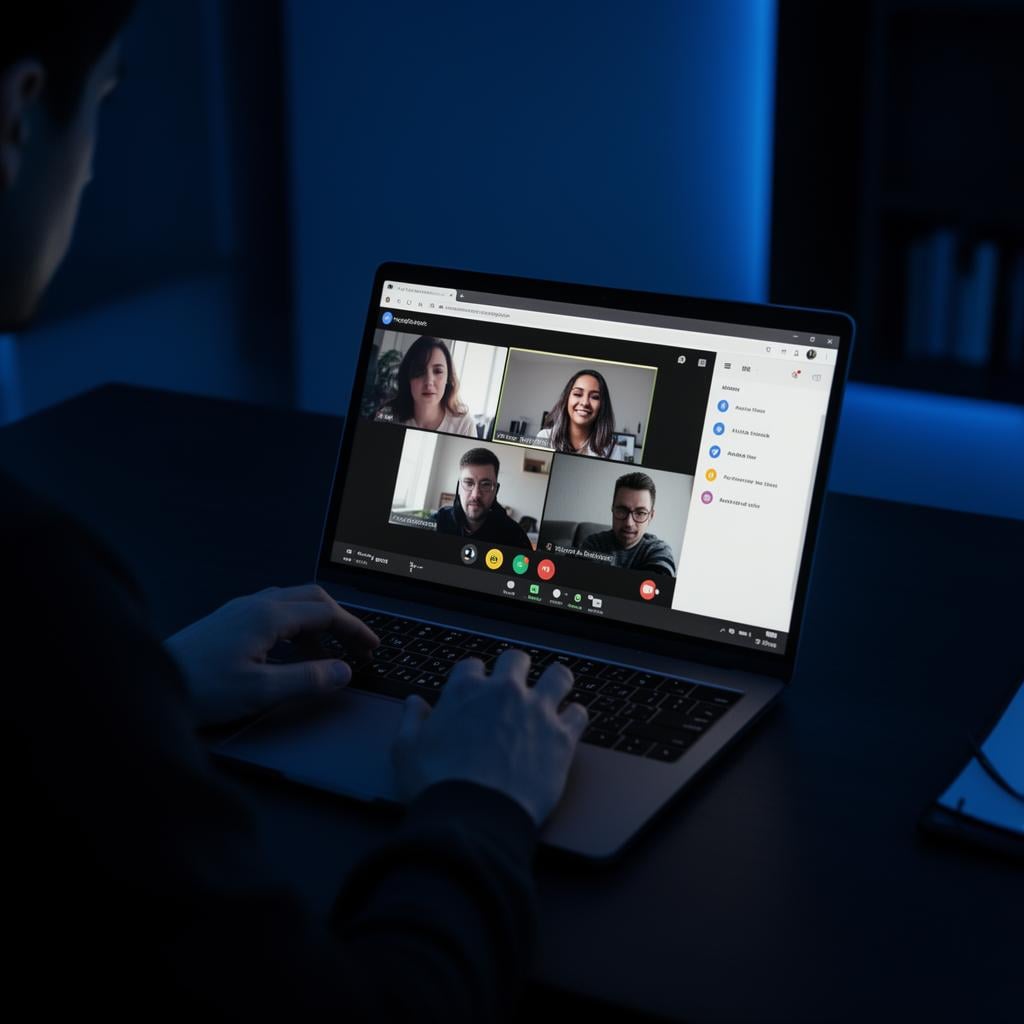
She accepted the video call invitation. We requested remote access to her desktop, but she did not have the necessary permissions on her system to grant it. Adapting in real-time, we asked her to share her screen instead, achieving the visibility we needed without taking remote control of the device.
Intelligence Harvested Through Screen Sharing:
With her screen visible to us in real-time, we guided her navigation and captured:
- Email inbox contents, including internal communications, project updates and confidential attachments
- SharePoint and OneDrive files: we convinced her to browse through document libraries, revealing internal file structures, project directories and sensitive operational documents
- Internal directory information: we had her query the GAL for specific departments (particularly finance), capturing org charts, direct contact numbers and reporting structures that would fuel our next wave of targeting
Credential Capture:
By this point, we had established significant trust. Rather than risking the phishing email being flagged again, we sent our credential harvesting URL directly via the video chat window, moving delivery outside the Microsoft 365 email filtering path.
We convinced her to log in using that URL. When she entered her credentials, they were captured by our harvesting page.
MFA Code Theft Through Social Engineering:
When we attempted to use her credentials, the account was protected by multi-factor authentication (MFA). A verification code was sent to her mobile number.
This was not a technical bypass of MFA. Since we were still on the call with her, we told her that we had generated the code as part of the migration process and she needed to read it back to us to complete the setup. She complied, which allowed us to use the live code in the legitimate authentication flow.
We also selected "Don't ask again for 30 days" on the MFA prompt, maintaining access during the approved test window without needing additional codes.
After gaining full access, we concluded the session by telling her the migration was successful. We then used her account to query SharePoint, OneDrive and internal applications for further intelligence.
Evidence captured: Phone call recording, video chat recording, screenshots of all access.
Case 2: "Michael Turner" (Full Account Compromise via Pure Social Engineering)
Date: Week 4 of engagement
The second account was compromised using social engineering alone; no phishing email was required.
The Approach:
Same pretext as Case 1: we posed as IT support and informed Michael that his account needed migration attention. However, instead of directing him to a phishing page, we used the Microsoft 365 password reset flow as our attack vector.
The Attack Chain:
- We initiated a password reset for Michael's account through the Microsoft 365 self-service portal
- Microsoft 365 sent a validation code to his registered phone number
- We told Michael he would receive a code on his phone, claiming that "our system generated it" as part of the migration
- He provided the code and we completed the first verification step
- As a second step, Microsoft Authenticator prompted him to approve the password reset on his phone
- We convinced him to approve it
- We successfully reset his password
Again, the control itself was not technically bypassed; the user was socially engineered into sharing the OTP and approving the legitimate reset prompt.
Upon reset, he received an automated password change confirmation email from Microsoft. We had to think on our feet: we told him that "our system sent that email automatically" and it was part of the standard migration process. We provided him with the new password we had set and told him he could change it after one hour, otherwise the migration would fail and we would have to repeat the process.
The one-hour window gave us ample time to access everything we needed.
What We Accessed:
Using Michael's credentials, we accessed:
- Email inbox: full access to sent, received and archived communications
- SharePoint and OneDrive: including a file titled "Browser Passwords.csv" stored in his personal OneDrive
- Internal compliance folders, including regulatory and audit documentation
- Internal business applications: we discovered that Organisation Alpha's internal portal was integrated with Microsoft 365 SSO, meaning we could access it without entering additional credentials
We logged the file as evidence but did not open, exfiltrate or reuse the personal credentials it contained. Its presence alone was the finding that mattered: a staff member was storing exported browser passwords in OneDrive, which - as Case 4 later confirmed - reflected organisational practice and would hand an adversary a ready-made source of credentials for spraying and stuffing in later phases.
The SSO integration gave us access to the full internal application suite, logged in as Michael Turner, including the staff phonebook, internal tools and departmental resources.
Case 3: "Sophie Dubois" (Full Account Compromise via Password Reset Manipulation)
Date: Week 4 of engagement
Sophie followed the same pure social engineering pattern as Michael. We used the migration pretext, initiated the legitimate Microsoft 365 password reset flow and convinced her that the verification steps were part of the support process.
She provided the reset code and approved the follow-up prompt, allowing us to complete the password reset and access the account. The case reinforced that a phishing email was not always required when the pretext, timing and helpdesk impersonation were credible enough.
Case 4: "Wei Zhang" (Full Compromise + Lateral Phishing from Compromised Account)
Date: Week 5 of engagement
This case was particularly significant because it demonstrated how a single compromised account can be weaponised for lateral movement and exposed a systemic organisational vulnerability.
Initial Compromise:
Using the same IT support pretext, we called Wei Zhang. During the conversation, she mentioned she was already experiencing issues accessing a shared network drive, giving us a natural opening. She also confirmed that she had not yet been enrolled in MFA for her Microsoft 365 account.
Sensing the opportunity, we pivoted our pretext: rather than the migration story, we told her we needed to set up her MFA to resolve the drive access issues. We sent her an email with "MFA setup instructions" containing our credential harvesting link. The email landed in her junk folder, but we convinced her to retrieve it, mark the sender as safe and follow the link.
She submitted her credentials on our cloned portal. Since no MFA was configured, we specifically chose SMS-based verification during our setup (rather than the Microsoft Authenticator app) because it matched the enrolment path the user expected and gave us enough time to complete the live flow.
After she submitted her credentials on the harvesting page, she was automatically redirected to a fake verification code page. While she believed she was completing a legitimate post-login MFA step, we used the live Microsoft 365 reset/enrolment flow in parallel. The SMS OTP she entered into the fake page was captured by our testing infrastructure and used in the legitimate flow, giving us full access.
We selected "Don't ask again for 30 days" to maintain persistent access.
What Made This Case Unique: Three Critical Discoveries
Discovery 1: Plaintext Passwords in Email While enumerating Wei Zhang's inbox, we found a password reset confirmation email from an internal business application (Organisation Alpha's Resource Centre portal) containing the account password in plaintext in the email body. We used these credentials to successfully access the Resource Centre application.
Discovery 2: The Chrome Password Export Guide While navigating Wei Zhang's SharePoint, we found a document titled "Export Browser Passwords", an instruction guide created by the IT team explaining how to export saved browser passwords and store the file locally.
In Case 2 (Michael Turner), we had already discovered a browser password CSV on his OneDrive and assumed it was an isolated case. This documented guide revealed it was actually organisational practice, meaning that if a significant number of accounts were compromised, an adversary could potentially harvest browser passwords from every staff member's OneDrive. This represented a systemic credential exposure risk.
Discovery 3: Weaponising the Compromised Account for Lateral Phishing
With full access to Wei Zhang's legitimate email account, we decided to use it to send phishing emails to other staff members. Emails sent from a real internal account avoided many external-email controls: no lookalike sender domain, no SPF/DKIM failure and no external sender warning.
We crafted a seasonal pretext: a holiday gift notification email, sent from Wei Zhang's account to selected targets, informing them they had been chosen to receive a special end-of-year gift and needed to log in to claim it. The login page was, of course, our cloned credential harvesting portal.
One recipient ("Alex") replied to the email saying the link wasn't working. This reply went directly to Wei Zhang's inbox, creating a risk that she would notice the phishing emails being sent from her account.
Counter-Detection Measures:
To prevent Wei Zhang from discovering the phishing campaign running through her account, we created an Outlook mail rule that automatically moved reply emails from the gift notification recipients into an obscure, nested folder rather than deleting them - for example, a new subfolder tucked under an existing, mundane folder such as "completed-tasks", subtle enough to avoid immediate notice. Moving rather than deleting kept the replies out of her normal inbox view while preserving them as evidence for later reporting. This meant:
- Wei Zhang was unlikely to see responses from confused or suspicious recipients in her normal inbox view
- The phishing campaign could continue with reduced chance of discovery from that account
- Only if a recipient contacted Wei Zhang through a different channel (phone, in person) would the activity be exposed
Note: During the engagement, access to the account was lost before we could remove this email rule. The IT team was advised to check for and remove any rogue mail rules on the account.
Case 5: "Amanda Brooks" (Partial Compromise; Target Became Suspicious)
Date: Week 5 of engagement
This case is noteworthy because it demonstrates that security awareness training does work, even if it doesn't always prevent the initial credential capture.
The Approach:
Same pretext as previous cases. We called Amanda posing as IT support and convinced her to enter her credentials on the cloned portal. She complied.
The Turning Point:
When we asked her for the MFA verification PIN that had been sent to her phone, she paused. Unlike previous targets who provided the code without hesitation, Amanda requested to put us on hold while she confirmed the process with a colleague.
We immediately recognised that continuing would risk exposure of the broader campaign. We concluded the call before she returned.
What This Tells Us:
Her credentials were valid; we were able to confirm this because the Microsoft 365 MFA prompt appeared, which only triggers after successful username/password authentication. However, her instinct to verify with a colleague before providing the MFA code prevented full account compromise.
This is a textbook example of the "trust but verify" behaviour that security awareness training aims to instil. While the social engineering was convincing enough to get her to submit her password, the additional step of MFA verification gave her a natural pause point to question the interaction.
Case 6: "Thomas Weber" (Credential Compromise; Blue Team Adaptation Detected)
Date: Week 5 of engagement
This case revealed that Organisation Alpha's security team was actively responding to the engagement in real-time.
The Approach:
We called Thomas posing as IT support. During the call, Thomas mentioned a couple of genuine IT issues he'd been experiencing, which gave the pretext additional credibility. He agreed to a callback later that day.
In the follow-up call, we provided the phishing URL verbally over the phone and convinced him to visit it. He submitted his credentials.
The Unexpected Roadblock:
When we attempted to log in using Thomas's credentials, we received an error message: "You cannot access this right now." The error confirmed that the username and password were correct (the authentication step succeeded), but login was blocked because the device did not meet the compliance criteria.
This was new. Earlier compromised accounts had not encountered this restriction.
Our Conclusion:
Organisation Alpha's blue team had most likely detected the earlier compromised account logins from untrusted devices and updated the Microsoft 365 Conditional Access policies to restrict authentication to trusted/managed devices only.
This was a significant defensive adaptation. The next approved validation path in such scenarios would usually involve an onsite interaction using the user's managed corporate device. However, given the time constraints and scope boundaries, we documented the credential compromise and moved to the next target.
The same device restriction was encountered on most subsequent compromises, indicating the blue team had rolled the policy change out broadly across the estate in response to our activities, even if it did not constrain every account in time (see Case 10).
Case 7: "Li Na" (Credential Compromise via Microsoft Teams Chat)
Date: Week 6 of engagement
This case demonstrated another approach to moving delivery outside the normal email path, using real-time collaboration tools.
The Approach:
Similar to Case 1, we posed as IT support and convinced Li to join a Microsoft Teams session to resolve her reported issues. The decision to use Teams (rather than a call + email) was deliberate: we wanted to share the phishing URL via the Teams chat window rather than email, moving delivery outside the Microsoft 365 email filtering path.
During the Teams session, we shared the credential harvesting URL via chat. Li visited the URL and submitted her credentials.
The Outcome:
Like Case 6, when we attempted to use her credentials, the device compliance policy blocked access from our non-corporate system. The username/password step succeeded, confirming valid credentials, but the conditional access policy prevented account access.
This further confirmed that the blue team's device restriction policy was now consistently applied across the organisation.
Case 8: "Grace Bennett" (Phishing-Only Credential Capture; Device Policy Blocked)
Date: Week 6 of engagement
Grace was included in a narrow phishing-only wave after the earlier social engineering calls had helped us validate which template, sender context and timing were most likely to land cleanly. She submitted her credentials through the cloned portal without a supporting phone call.
The credentials were valid, but the same managed-device requirement blocked the login attempt. This made the case useful evidence that the campaign could still capture passwords, while Conditional Access was now preventing remote account use from unmanaged systems.
Case 9: "Marco Rossi" (Credential Capture with Device Intelligence)
Date: Week 6 of engagement
Marco followed a cloned-portal link from the targeted phishing wave and submitted valid credentials. In addition to the credentials, our secondary collection page captured device and browser details that helped confirm the likely endpoint profile of the affected user population.
As with Grace and Li, the device compliance policy blocked our login attempt from a non-corporate system. The value of this case was therefore intelligence rather than immediate access: it confirmed both credential validity and the defensive control now shaping the rest of the campaign.
Case 10: "Zhou Jie" (Full Account Compromise via SE + Phishing)
Date: Week 6 of engagement
Zhou was targeted with the same hybrid approach that had worked earlier: a credible IT-support pretext followed by a cloned login flow. Because the interaction was anchored in a live conversation, Zhou treated the login and verification steps as part of the support process rather than as a standalone email request.
In this case we achieved full access before the defensive changes fully constrained the account path. It reinforced the central lesson of the engagement: the highest success rate came from combining trusted internal context, patient social engineering and selective technical infrastructure, not from phishing alone.
Accounts Compromised: Summary
Through a combination of social engineering, phishing and hybrid approaches, the following accounts were compromised during this phase:
| # | Alias | Compromise Method | Approach | Full Access Achieved? |
|---|---|---|---|---|
| 1 | Elena Novak | Credentials submitted via cloned portal | SE + Phishing | ✅ Yes (incl. MFA code theft) |
| 2 | Michael Turner | Password reset via SE manipulation | SE Only | ✅ Yes |
| 3 | Sophie Dubois | Password reset via SE manipulation | SE Only | ✅ Yes |
| 4 | Wei Zhang | Credentials submitted + MFA code theft | SE + Phishing | ✅ Yes (used for lateral phishing) |
| 5 | Amanda Brooks | Credentials submitted (MFA blocked) | SE + Phishing | ⚠️ Partial (target became suspicious) |
| 6 | Thomas Weber | Credentials submitted (device policy blocked) | SE + Phishing | ❌ Creds valid, device policy blocked |
| 7 | Li Na | Credentials submitted via Teams chat | SE + Phishing | ❌ Creds valid, device policy blocked |
| 8 | Grace Bennett | Credentials submitted via cloned portal | Phishing Only | ❌ Creds valid, device policy blocked |
| 9 | Marco Rossi | Credentials submitted + device details captured | Phishing Only | ❌ Creds valid, device policy blocked |
| 10 | Zhou Jie | Credentials submitted via cloned portal | SE + Phishing | ✅ Yes |
The cases above show the main compromise patterns: password-reset manipulation, cloned-portal credential submission, hybrid phone-and-email social engineering and credential capture constrained by managed-device policy.
Key Observations
The Blue Team Fought Back
One of the most interesting aspects of this engagement was witnessing Organisation Alpha's security team adapt in real-time. After detecting logins from untrusted devices on the early compromised accounts, they rolled out a Conditional Access policy restricting authentication to managed corporate devices only. This effectively neutralised our remote access capability for most subsequent account compromises.
This is exactly the kind of active defence posture that turns a red team engagement from a one-sided exercise into a genuine adversarial simulation.
Why the Combined Approach Was Devastating
The hybrid social engineering + phishing approach was far more effective than either technique alone:
- Phone calls established trust before the phishing email arrived: targets were expecting the email and actively looking for it
- Real-time adaptation allowed us to overcome obstacles (emails in junk, MFA prompts) that would have killed a standard phishing campaign
- Internal knowledge (helpdesk names, migration details, system names) made every interaction feel legitimate
- Video chat and Teams sessions provided both a surveillance channel and a way to deliver phishing URLs outside the email filtering path
Lateral Phishing: The Force Multiplier
The Wei Zhang case demonstrated the devastating potential of lateral phishing. Once we had access to a legitimate internal email account, we could send phishing emails that would:
- Avoid many external-email controls (sent from a trusted internal address)
- Appear in the inbox (not junk) with correct sender reputation
- Include legitimate email signatures and formatting
- Be backed by social proof (recipients knew the sender)
Combined with the Outlook rule that diverted replies into an obscure folder, this created a phishing capability that was much harder to detect from within the organisation.
The Chrome Password Export: A Systemic Risk
The discovery of an IT-documented guide for exporting browser passwords to local storage meant that a mass account compromise could cascade into a complete credential exposure event: not just for Organisation Alpha's systems, but for any personal or third-party service where staff had saved passwords in their browser.
What Traditional Phishing Would Have Missed
A standard phishing campaign against Organisation Alpha would likely have achieved a low success rate. EOP was filtering effectively, staff were trained to report suspicious emails and the security team was monitoring for phishing indicators.
Our success came from treating phishing as one component of a larger social engineering operation, not as a standalone attack vector.
Closing Thoughts
This article has focused on the phishing and social engineering campaign in detail -- the infrastructure, the pretexts and the individual account compromises that made it work. For the full arc of the engagement, including how this access was carried into the physical security assessment and the final flag capture, see Part 1.
Between the two articles, the complete engagement is covered from initial reconnaissance through to the final results.
Written by Debasis Mohanty (nopsled). Based on a real-world engagement. All names, email addresses and identifying details have been fabricated. The industry and business domain have been intentionally obscured to honour client confidentiality and contractual obligations.